Jango VPN Premium
Premium removes the ads and the time limit. Everything else is the same app. This page compares the two plans and explains how billing works through Google Play.
- No ads
- No time limits
- Cancel in Google Play
What you get
Premium changes two things
The free plan is paid for by ads and comes with a daily amount of VPN time. Premium takes both away.
No ads anywhere in the app
The free plan shows ads from Google AdMob: banners, full-screen ads, ads inside the lists of the app, and the short ads you can watch to add time. With Premium the app shows none of them. Once Premium is confirmed on your phone, the app stops loading ads.
No time limits
On the free plan your VPN time counts down while you are connected, and the VPN disconnects when it runs out. With Premium there is no countdown and no daily limit, so the VPN never stops because your time is over.
What Premium does not change
Premium is the same app, not a different VPN. The WireGuard encryption, split tunneling and every other feature work the same on both plans. Premium does not promise a certain speed or location.
All of them are described on the Features page.
Compare
Free and Premium compared
What only Premium adds, and what both plans include.
| Feature | Free | Premium |
|---|---|---|
| What is different | ||
| Ads in the app | Yes | None |
| VPN time | Free time every day | No time limit |
| Extra VPN time | By watching short ads | Not needed |
| Daily limit on time from ads | Yes | Does not apply |
| Price | Free | Weekly, monthly or yearly |
| The same on both plans | ||
| Encrypted connection (WireGuard protocol) | Included | Included |
| One-tap connect | Included | Included |
| Country choice and favorites | Included | Included |
| Split tunneling | Included | Included |
| Auto-connect | Included | Included |
| Connection notification | Included | Included |
| Light and dark theme | Included | Included |
| 27 languages | Included | Included |
| No account needed | Included | Included |
Prices are shown in the app and on Google Play. They depend on your country and on the plan you choose.
Subscribe
How to subscribe to Premium
You subscribe inside the app. Google Play takes the payment.
Get the app
Install Jango VPN from Google Play and open it. You do not need an account. How to install
Tap “Go Premium”
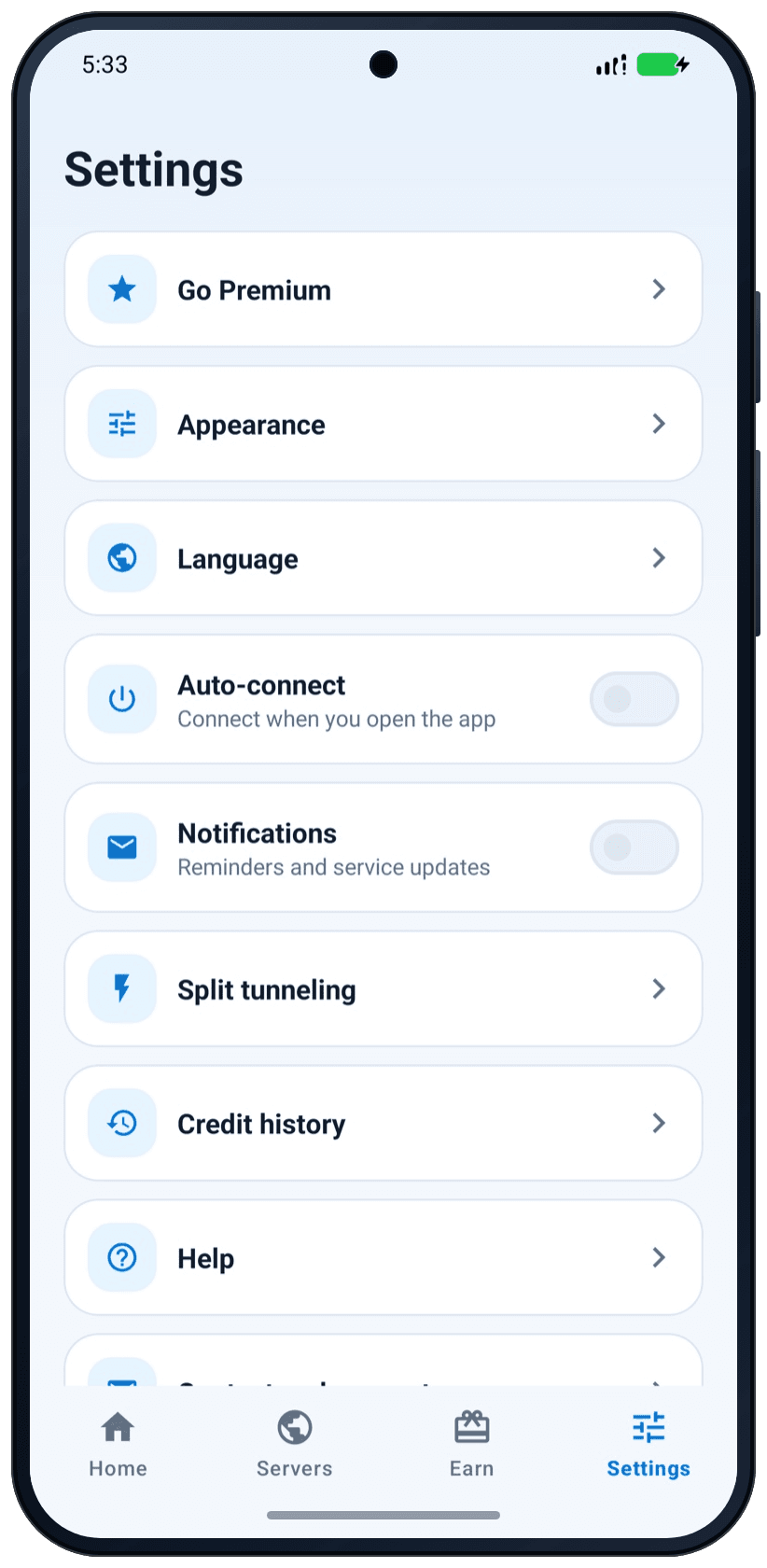
It is the first row in Settings, and it is on the Earn tab. The app also offers it when your free time has run out.
Choose “Weekly”, “Monthly” or “Yearly”
Under the button, the screen states the full price, that the subscription renews automatically, and how to cancel. If the plan comes with a free trial for new subscribers, the screen also says how long it lasts.
Tap “Subscribe” or “Start free trial”
Google Play asks you to confirm. When Google Play has confirmed the purchase, Premium is active: the ads are gone, and so is the time limit.
Some payment methods take a while. Until Google Play has finished the payment, the app shows “Your purchase is pending”.
Billing
Billing runs through Google Play
You pay with the payment method of your Google account. Google Play handles the payment, and we do not receive your full card details.
Weekly, monthly or yearly
All plans give you the same Premium. Google Play shows the price, the billing period and any free trial before you buy. If you cancel during a free trial, you are not charged.
Renews automatically
At the end of each period the subscription renews, and Google Play charges your payment method again, until you cancel.
Cancel at any time
You cancel in Google Play. Premium then stays active until the end of the period you have paid for.
How to cancel Premium
- Open Google Play on your phone. Check that it is signed in to the Google account you subscribed with.
- Open Subscriptions and select Jango VPN.
- Tap “Cancel subscription” and confirm.
Uninstalling the app does not cancel Premium
A subscription belongs to your Google account, not to the app on your phone. If you remove Jango VPN without cancelling, Google Play keeps renewing the subscription.
A shortcut from the app
Open Settings, tap “Premium is active”, then “Manage subscription”. It opens your subscription in Google Play, where you can cancel it.
Good to know
A new phone, the end of a plan, a change of plan
Premium on a new phone
Premium is linked to the Google account you bought it with. Sign in to Google Play with that account on the new phone and install Jango VPN. The app checks Google Play and turns Premium on. If it does not, open the Premium screen and tap “Restore purchases”.
When a subscription ends
After you cancel, Premium stays active until the end of the period you have paid for. Then the app is back on the free plan: free VPN time every day, with ads. Your settings stay as they are.
Changing the plan
While Premium is active, the Premium screen shows your plan and a button to switch to the other one. Google Play shows what you pay today and your next billing date before you confirm.
Questions
Questions about Premium
Honest answers about prices, refunds and cancelling.
How much does Jango VPN Premium cost?
The price is shown on the “Go Premium” screen in the app, and again in Google Play before you confirm. It depends on your country and on the plan, weekly, monthly or yearly, so this website does not list prices.
What does Premium add to the free plan?
Two things: no ads anywhere in the app, and no VPN time limit. The encryption and every other feature are the same on both plans.
How do I cancel Jango VPN Premium?
Open Subscriptions in Google Play, select Jango VPN and tap “Cancel subscription”. You keep Premium until the end of the period you have paid for. Uninstalling the app does not cancel the subscription.
Can I get a refund for Premium?
Refunds are handled under Google Play’s rules. You ask for a refund through Google Play, and its refund policies and the consumer law that applies to you decide the outcome.
How do I use Premium on a new phone?
Sign in to Google Play on the new phone with the Google account you subscribed with, then install Jango VPN. If the app does not show Premium by itself, open the Premium screen and tap “Restore purchases”. Free VPN time does not move to the new phone.
What happens when my subscription ends?
The app goes back to the free plan. You get free VPN time every day again, and the app shows ads again. Nothing is deleted, and you can subscribe again in the app whenever you want.
Do I need an account to buy Premium?
You do not need a Jango VPN account: there are none. Premium is linked to the Google account you use in Google Play, and Google Play handles the payment.
Does Premium make the VPN faster?
Premium removes the ads and the time limit. It does not promise a certain speed or location, and it uses the same encryption as the free plan.
Does the free plan use weaker encryption than Premium?
No. Both plans use the same WireGuard encryption between your phone and our VPN servers. The free plan differs in two ways: it shows ads from Google AdMob, and your VPN time is limited.
Next steps
Try the free plan first
Premium is sold inside the app, so the first step is the same for everyone.
- How to installRequirements, three install steps and what the app asks on first start.
- All featuresEvery feature in detail. All of them work on both plans.
- Help with billingA purchase that does not show up, a pending payment, restoring Premium.
7 min read
Is a free VPN safe? What to check before you install one
Some free VPNs are safe and some are not. Learn how free VPNs pay for their servers, the warning signs, and a checklist you can use on any VPN app.
6 min read
What a VPN hides, and what it does not
A VPN hides your traffic from the local network and your internet provider, and your IP address from websites. See who can still see what, and why.
7 min read
How to set up and use a VPN on Android
Install a VPN app on Android, accept the connection request, check the key icon, and avoid the common mistakes that leave you without protection.
Start with the free plan
Free to download, no sign-up. You can go Premium inside the app at any time.